USB Hub question
-
When I got my last Mac, I bought a USB-C type hub for my peripherals. It's this guy.
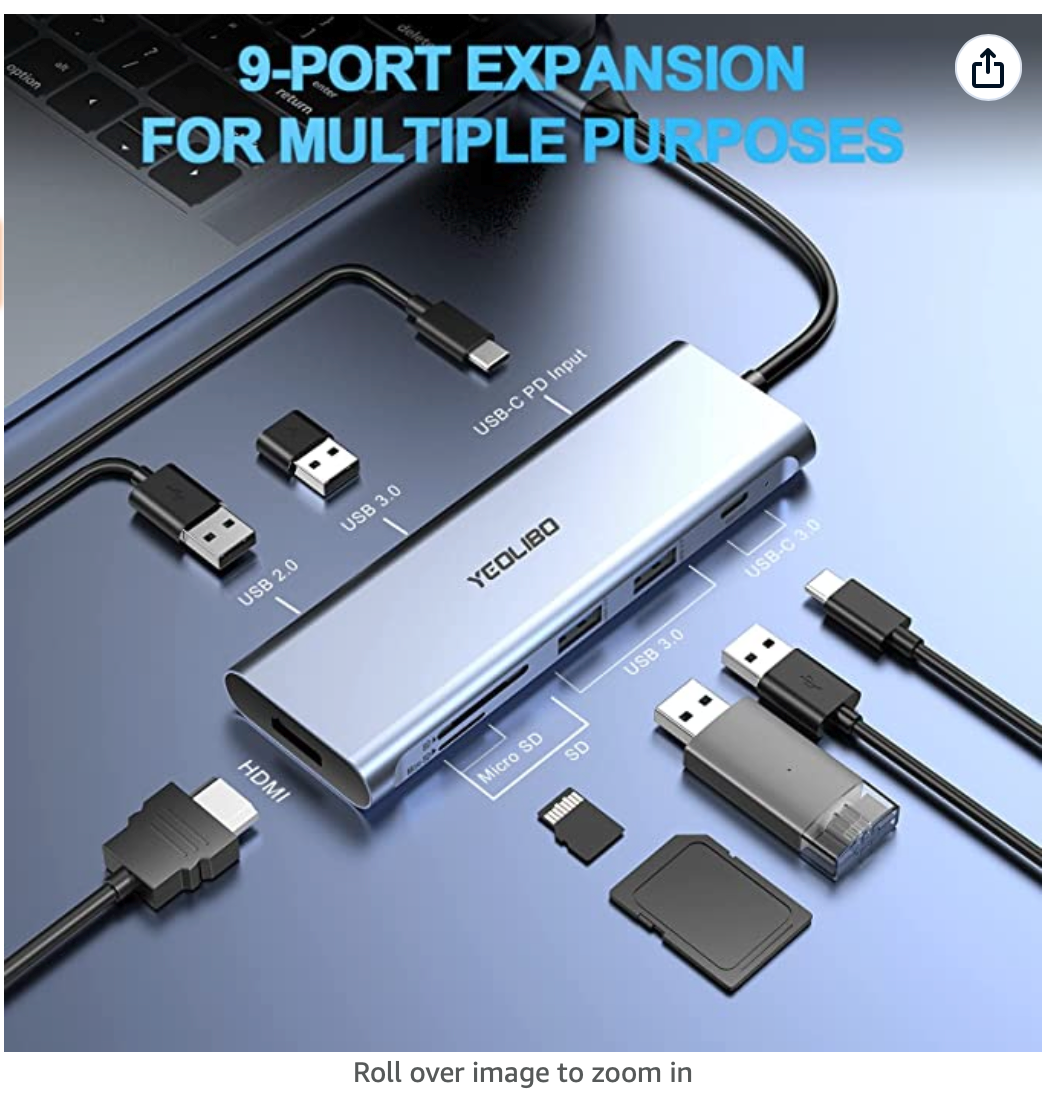
The USB-C cable at the top is plugged into my Mac. The HDMI port is not being used. On the right side, (with the SD card slots) I have a USB dongle for my wireless keyboard plugged in, and nothing else.
On the other side, I have my two printers plugged in, and they work fine. Also, where it says "USB-C PD Input" I have it plugged into my UPS supply which has two USB ports - one of which I use for charging power bricks, etc. The other, as I said, is connected to the hub.
When I plug my iPad into the hub, it does not charge, however, I can sync it to my Mac. When I plug it into a standard USB-A type hub, it's fine - charges and syncs.
Any thoughts?
My guess is that the USB port on the APC is not supplying enough power to charge the iPad. Anything else it could be?
"Now look here, you Baltic gas passer... " - Mik, 6/14/08
The saying, "Lite is just one damn thing after another," is a gross understatement. The damn things overlap.
-
When I got my last Mac, I bought a USB-C type hub for my peripherals. It's this guy.
The USB-C cable at the top is plugged into my Mac. The HDMI port is not being used. On the right side, (with the SD card slots) I have a USB dongle for my wireless keyboard plugged in, and nothing else.
On the other side, I have my two printers plugged in, and they work fine. Also, where it says "USB-C PD Input" I have it plugged into my UPS supply which has two USB ports - one of which I use for charging power bricks, etc. The other, as I said, is connected to the hub.
When I plug my iPad into the hub, it does not charge, however, I can sync it to my Mac. When I plug it into a standard USB-A type hub, it's fine - charges and syncs.
Any thoughts?
My guess is that the USB port on the APC is not supplying enough power to charge the iPad. Anything else it could be?
@George-K said in USB Hub question:
When I plug my iPad into the hub, it does not charge, however, I can sync it to my Mac. When I plug it into a standard USB-A type hub, it's fine - charges and syncs.
You mean when you plug it into a USB-C port, it does not charge but it does when you use a USB-A port?
-
USB-A is simpler and has been around much longer. USB-C uses a more complicated process to determine how much power to supply and which device should be supplying the power. It’s more costly to implement all of USB-C’s power delivery functions correctly, so some vendors just don’t do it or not doing it correctly, the result of which is that you sometimes get USB-C ports that don’t charge as expected. All this will get better over time, but for now I still hang on to my USB-A chargers.
-
@Klaus said in USB Hub question:
@George-K said in USB Hub question:
When I plug my iPad into the hub, it does not charge, however, I can sync it to my Mac. When I plug it into a standard USB-A type hub, it's fine - charges and syncs.
You mean when you plug it into a USB-C port, it does not charge but it does when you use a USB-A port?
Not quite. I have a USB-A hub. And it charges and syncs fine with that. But when I plug it into the USB-A port on this fancy-schamcy hub, it doesn't.




Hello! It looks like you're interested in this conversation, but you don't have an account yet.
Getting fed up of having to scroll through the same posts each visit? When you register for an account, you'll always come back to exactly where you were before, and choose to be notified of new replies (either via email, or push notification). You'll also be able to save bookmarks and upvote posts to show your appreciation to other community members.
With your input, this post could be even better 💗
Register Login